
Music Apps for Mobile: 50 Beautiful Concept Designs |
- Music Apps for Mobile: 50 Beautiful Concept Designs
- Creating a Stitched Effect Using CSS
- 20+ Rage of Lightning Wallpapers
| Music Apps for Mobile: 50 Beautiful Concept Designs Posted: 11 Sep 2013 08:01 AM PDT Music apps occupy a leading position in the market. It's hardly necessary to explain the reason of such popularity. All of us love music and listen to it everywhere we go: at home, at work, and on the go. It would be no exaggeration to say that for many of us music is an integral part of life. High popularity and intense competition in this field stimulate designers to create unusual and attractive concept design for music apps. Many of the apps featured in this list display a healthy mix of beautiful interfaces. Some are modern and minimalistic complete with sharp colors, others fall back on old school devices and concepts that were our lifeline to music – radios, cassette tapes, turntables and record players. Recommended Reading: 30 Stunning Apple Concept Designs I hope you will enjoy these 50 outstanding music app design concepts for mobile devices as much as I did compiling this. Here’s to inspiring even more beautiful, future creations! 1. Turntable Player iPhone App Concept by Ivan Gapeev
2. iPhone Swing Music App Concept by Enes Daniş
3. Music App UI (iPhone) by Piotr Kwiatkowski
4. Interphono – iPhone app by Abraham Vivas
5. A-MUSE-ME. Music application by Alex Ds Karera
6. MixTape – iOS Music App by Marco Nenzi
7. MTV Mobile & App Concepts by Andrew Couldwell
8. BeatsLarge iPhone Concept by Jonathan Kelley
9. iPhone Music Player App Concept by Kiran
11. T3 Player App by Eder Rengifo and Bryn Bodayle
12. Cat Music Karaoke App by Cristi Hurhui
13. Rocket Piano UI Design by Isabel Aracama
14. FlatPlayer by Ehsan Rahimi
15. Player – Music Player App by Ilya Boruhov
16. CONCEPT – iOS MUSIC PLAYER by Pintu Dhiman
17. Radio Expres iOS App by Martin Schurdak
18. Music Player App by Emile Rohlandt
19. 76 Synthesizer Concept by Jonas Eriksson
20. Groove! Simple Metronome App by Tom Reinert
21. Carl Cox by Jonas Eriksson
22. NightFever app by Michael Nunes
23. Earbass | Music On The Go by Quintavious Shephard
24. Rocmo Music App by Jeet Sean
25. My16 – iPhone App by Maria Helena Cunha
26. Ringtonium 3 by Bamboo Apps and IGNAT PLOT
27. iOS Music Player App by Dmitriy Haraberush
28. SoundBeats by Florent Hancquart
31. Less Than Four Days by Abraham Vivas
32. RITMO FREE MUSIC APP by PromoBeat Smartphone Apps
33. Music App Interface by Alex Bender
34. Music Player Application – Personal Project by Ernest Gerber
35. Music Player Application’s UI by Chandan Mishra
36. Gray GUI iOS Kit | Music App by Husam Aneed
37. Google Play Music for iOS by Moin Ahmad
38. Music App for iPhone 5 by Hervé Denjean
39. MeloMe Music Player App by BLASTAROCKS
40. iPhone Music App by BorisWick
41. Music Player for iOS by Khoa Dinh
42. Media App iOS by Carlos Santiago
43. UI Music FM app design by raysdesign
44. MOG iOS Apps by Jordan Braun
45. Shuffle Music Player App (inspired by Dieter Rams) by Naim Solis
46. Braun Radio App by Nicklas Alejandro
47. RadioTar for iOS by Elek Laszlo
48. Record Player – Tocadiscos by Pedro Hernandez Ruiz
49. Music Player by nijah zhang
50. MYSIC, for Spotify and Swedish Radio by Christin Malen Andreassen

| ||
| Creating a Stitched Effect Using CSS Posted: 11 Sep 2013 06:01 AM PDT There are many visual effect possibilities we can achieve with CSS; the limit is only our creativity and imagination. This time, as the title suggests, we are going to try creating the stitched effect using only CSS and this screenshot below shows how out final output will look like.
Let’s get started. Recommended Reading: Understanding Pseudo-Element :before and :after. Preparing AssetsFirst, we need resources to deliver the F icon of Facebook. In this tutorial, we are going to use this font: Modern Pictogram by John Caserta. We will also need an image for the background, and this time, we are going to use this linen texture from Premium Pixels. Then, put all these things in appropriate folders, like so;
Structuring HTML MarkupCreate a new HTML document and CSS file. Then, link the CSS file as well as the CSS Normalize in the <link rel="stylesheet" href="http://necolas.github.com/normalize.css/2.0.1/normalize.css"> <link rel="stylesheet" href="css/style.css"> To create this icon, we only need a single <div class="icon">F</div> StylesNow, we work on the styles and, as usual, we start off by adding the @font-face { font-family: 'ModernPictogramsNormal'; src: url('fonts/modernpics-webfont.eot'); src: url('fonts/modernpics-webfont.eot?#iefix') format('embedded-opentype'), url('fonts/modernpics-webfont.woff') format('woff'), url('fonts/modernpics-webfont.ttf') format('truetype'), url('fonts/modernpics-webfont.svg#ModernPictogramsNormal') format('svg'); font-weight: normal; font-style: normal; } body { background: url('../img/ios-linen.jpg'); } Then, we add decorative styles to .icon { font-family: "ModernPictogramsNormal"; font-size: 4em; color: #fff; text-align: center; line-height: 0.406em; text-shadow: 1px 1px 0px rgba(0,0,0,.5); width: 65px; height: 65px; padding: 7px; margin: 50px auto; position: relative; -webkit-border-radius: 6px; -moz-border-radius: 6px; border-radius: 6px; -webkit-box-shadow: 0px 0px 10px 1px rgba(0, 0, 0, .3), inset 0px 1px 0px 0px rgba(255, 255, 255, .15); -moz-box-shadow: 0px 0px 10px 1px rgba(0, 0, 0, .3), inset 0px 1px 0px 0px rgba(255, 255, 255, .15); box-shadow: 0px 0px 10px 1px rgba(0, 0, 0, .3), inset 0px 1px 0px 0px rgba(255, 255, 255, .15); background: #375a9a; background: -moz-linear-gradient(top, #375a9a 0%, #1b458e 100%); background: -webkit-gradient(linear, left top, left bottom, color-stop(0%,#375a9a), color-stop(100%,#1b458e)); background: -webkit-linear-gradient(top, #375a9a 0%,#1b458e 100%); background: -o-linear-gradient(top, #375a9a 0%,#1b458e 100%); background: -ms-linear-gradient(top, #375a9a 0%,#1b458e 100%); background: linear-gradient(to bottom, #375a9a 0%,#1b458e 100%); filter: progid:DXImageTransform.Microsoft.gradient( startColorstr='#375a9a', endColorstr='#1b458e',GradientType=0 ); } The StitchedRegarding the stitched effect, we are going to add it with .icon:before, .icon:after { content: ""; display: block; width: 63px; height: 63px; -webkit-border-radius: 3px; -moz-border-radius: 3px; border-radius: 3px; position: absolute; } Then, we add these pseudo-elements with dashed border, but each will have a different color. The .icon:before { border: 1px dashed #0d2b5e; } Whilst the .icon:after { border: 1px dashed rgba(255,255,255, .1); top: 7px; left: 7px; margin-top: 1px; margin-left: 1px; } That’s all the codes we need. Here is the result and you can download the source from these links below. 
| ||
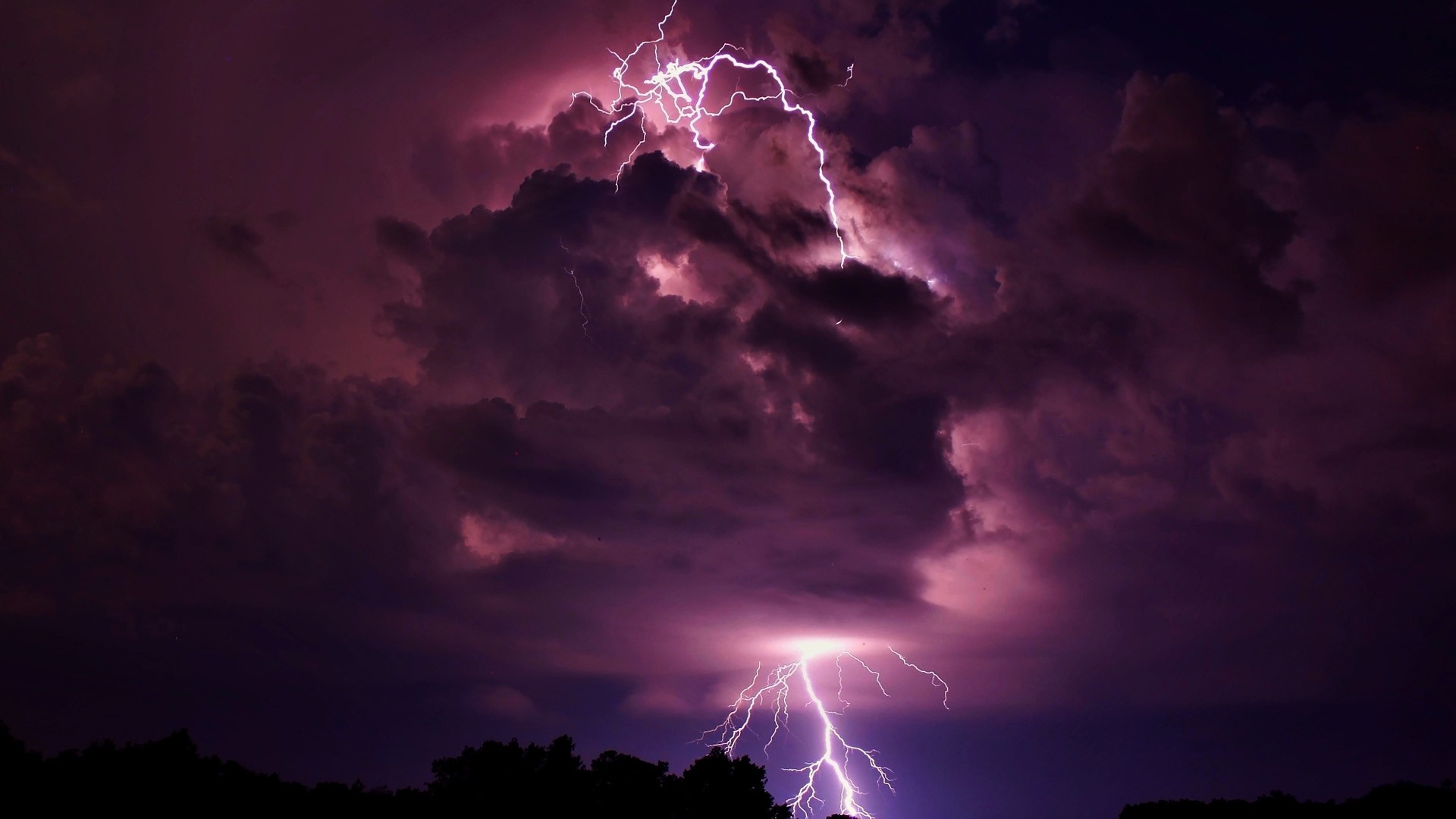
| 20+ Rage of Lightning Wallpapers Posted: 11 Sep 2013 03:01 AM PDT Lightning is a natural phenomenon, and the stuff of nightmares for children everywhere. With the help of high-speed photography and the never-ending passion of extreme photographers, the split-second occurence of lightning can now be captured in all its glory in the humble photograph.
In this week’s Wallpaper Wednesday we have 24 amazing wallpapers that show the power and rage of lightning. Over deserts, canyons and vast oceans, these lightning photographs are proof that lightining can strike the same place, more than twice. Read Also: 25 Raindrops Wallpapers For Your Desktop Lightning Buzz. Available in various sizes.
Raining Lightning. Available in various sizes.
Canyon Lightning. Available in various sizes.
Lightning And Volcano. Available in various sizes.
Still Blue And Lightning. Available in 1920×1080.
The Lightning Strikes. Available in 1920×1080.
Night City Lightning. Available in various sizes.
Lightning Storm. Available in 1920×1080.
Arizona Lightning Strike. Available in various sizes.
City Lightning. Available in various sizes.
Coast Lightning. Available in various sizes.
Positive Lightning. Available in 1600×1200.
Dark Time Thunder. Available in various sizes.
Dangerous Cloud. Available in various sizes.
Thunder Cloud. Available in 1920×1080.
Over Dauphin Island. Available in various sizes.
Storm Lightning. Available in 1920×1200.
Sea Clouds Electrifying Force. Available in various sizes.
Sea Storm Wallpaper. Available in the following size(s): 1440×900, 1920×1200.
Lightning Skyscapes HD. Available in 1920×1080.
Nature Storm. Available in various sizes.
Lightning Desert. Available in 1920×1200.
Purple Night Storm. Available in various sizes.
Lightning At Sea. Available in 2560×1600.

|




| You are subscribed to email updates from hongkiat.com To stop receiving these emails, you may unsubscribe now. | Email delivery powered by Google |
| Google Inc., 20 West Kinzie, Chicago IL USA 60610 | |
0 comments:
Post a Comment